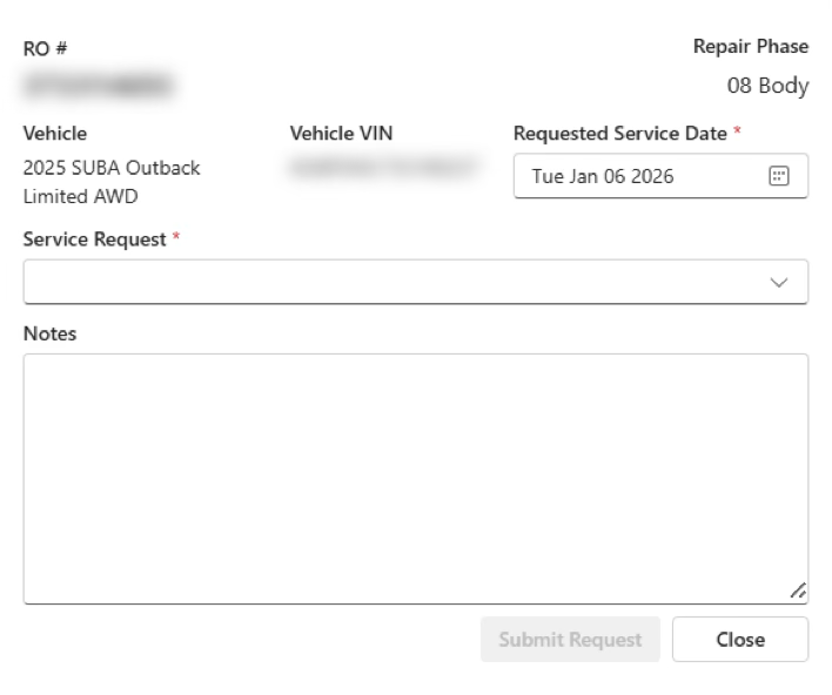
Click on the “+”, located on the left side of the RO, to request a service from Protech, this will provide a pop-up screen to complete your request.
- Vehicle information will auto-populate.
- Requested Service Date is mandatory; click the calendar to update to the preferred service date. (You can request a same-day appointment)
- Protech will call to confirm on the day of service to verify that the vehicle is ready for service, if your preferred requested service date is not available, Protech will review and reschedule on the confirmation call.
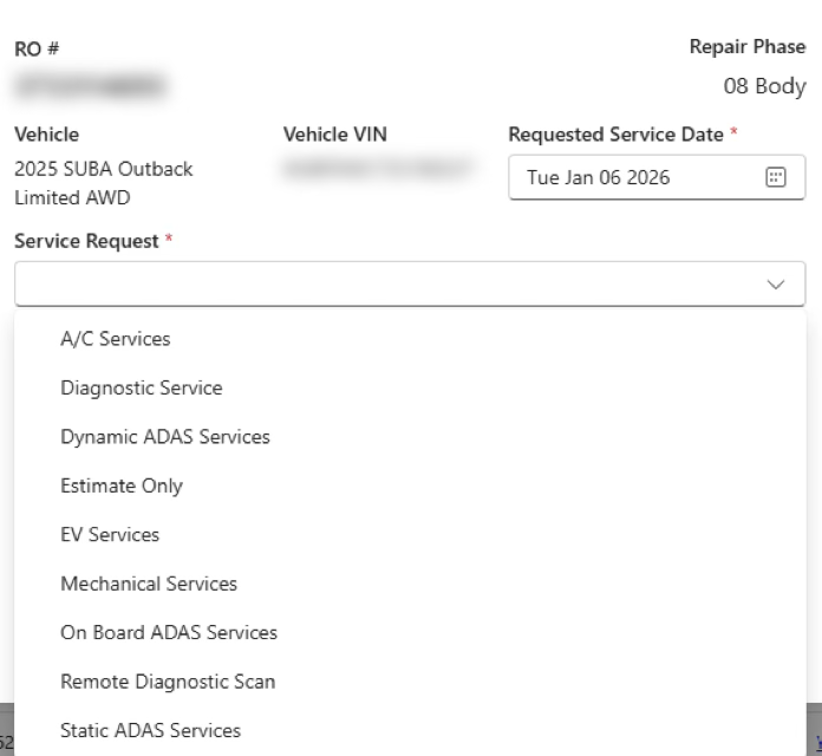
- Dynamic ADAS Services: Select this status per the recommendation of the ADAS ID3 tool.
- Estimate Only: This option is used when a quote is needed on a specific service (ex: air bag deployment).
- EV Services: Request any high voltage services including Health Check, High Voltage disconnect or High Voltage component R&I.
- Mechanical Services: Request if you require suspension replacement, alignment, or other mechanical functions.
- On Board ADAS Services: Select this status per the recommendation of the ADAS ID3 tool.
- Remote Diagnostic Scan: Request if you need an OE scan.
- Static ADAS Services: Select this status per the recommendation of the ADAS ID3 tool.
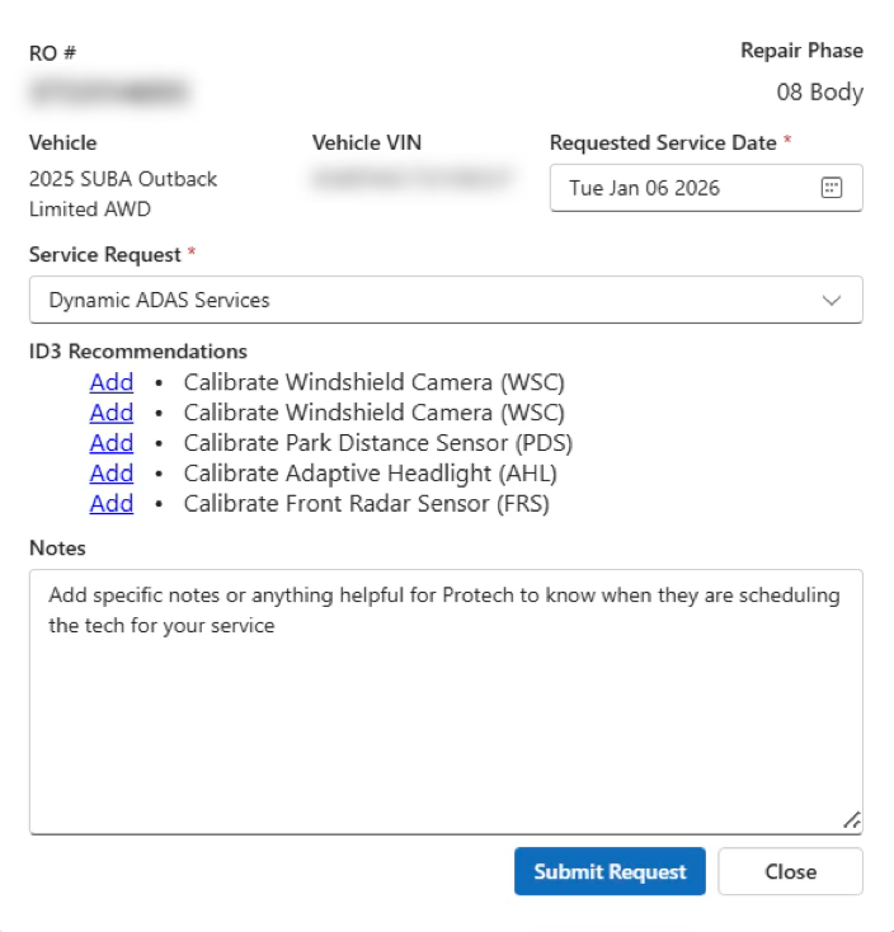
- When ID3 has recommendations for the selected service, you will be prompted to ‘Add’ each of those as you make your request.
- Add detailed notes that would be relevant when Protech is scheduling the Service Technician.
- Once completed, click “Submit Request”.