
Two steps on your Autel tablet get you an order code. Enter that code in the Protech customer portal to request your remote session.
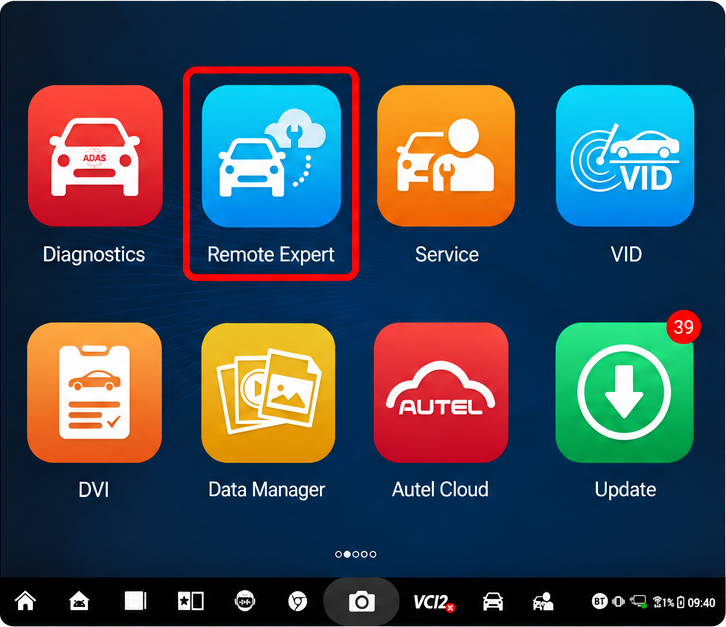
1. Click
Remote Expert
From the tablet home screen, select Remote Expert.
2. Document
the order code
Write down the order code shown on the left side of the screen. You will enter it in the Protech customer portal.
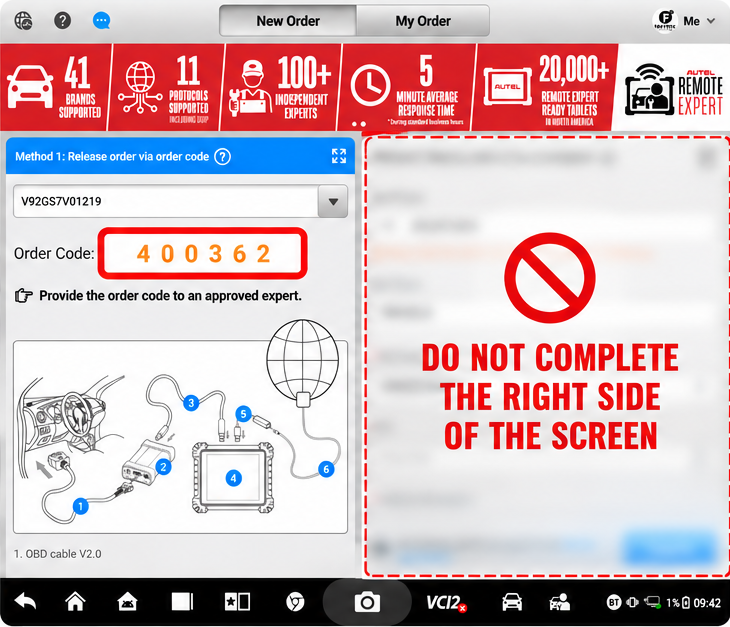

Do not complete the right side of the screen.
You only need the order code. Leave the fields on the right side of the New Order screen blank.
NEXT STEP
Enter your order code in the customer portal
Log in to Protech Connected Solutions and add the order code to your service request.