
Within this screen, the user can log a support request and/or view previously logged requests.
- Enter the Phone # associated with the shop and/or user logging the request
- Select the appropriate Support Type:
- PCS Support Question (default)
- ADAS Calibration Question
- Billing Question
- Enter a Description of what your question or issue is regarding.
- Example: Billing Question – ‘Please resend Invoice(s) for RO #xx via email’.
4. + Submit Request
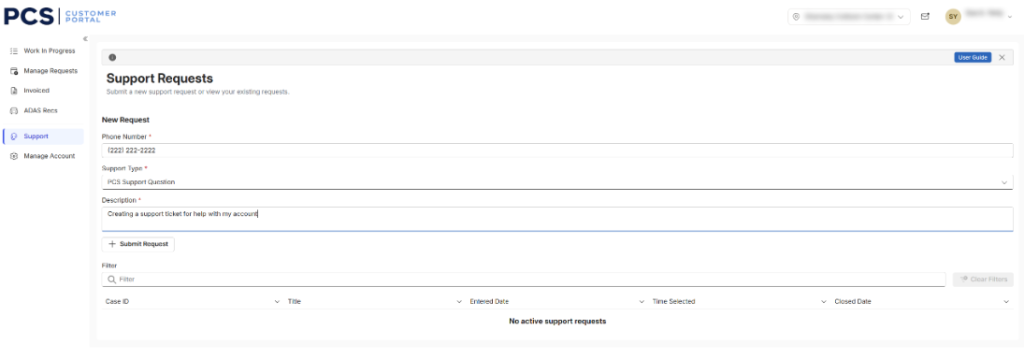
- Request will show in the list below after submitted